Installing Signed Android APKs
A step-by-step visual guide for downloading and installing official Android applications directly from Bert Jerred's sites.
Authentic & Privacy-Focused: Applications distributed directly on bertjerred.com (such as You Are Here, Chime Ball, and Motivic MIDI) are cryptographically signed using official developer keys. Because they are installed outside the Google Play Store, Android prompts standard security warnings before allowing installation.
Download the APK File
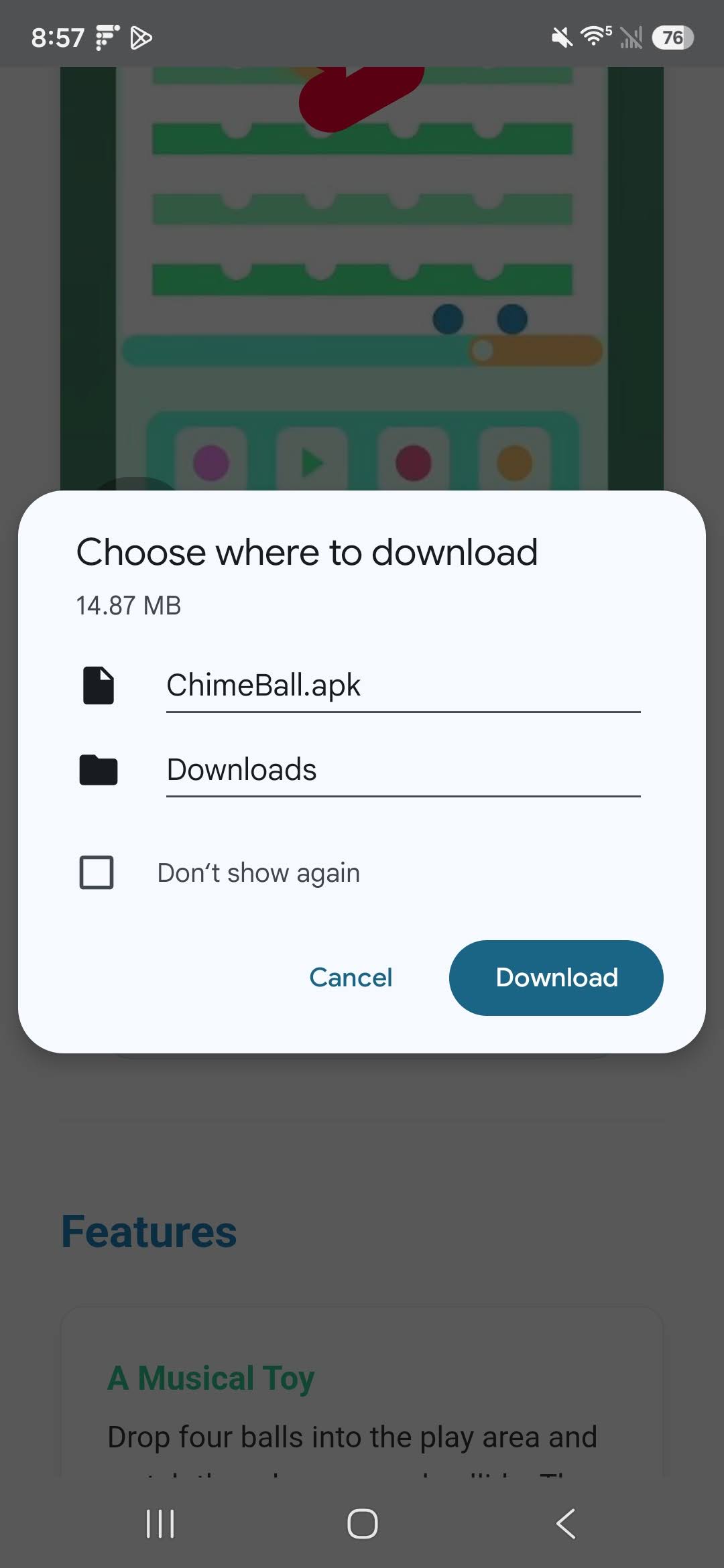
Tap the Download APK button in your browser (e.g. Chrome). Android will display a standard warning prompt stating that "File might be harmful" because the file was downloaded from a website rather than an app store.
.apk file to your device's Downloads folder.
Allow Installation from Chrome / Browser
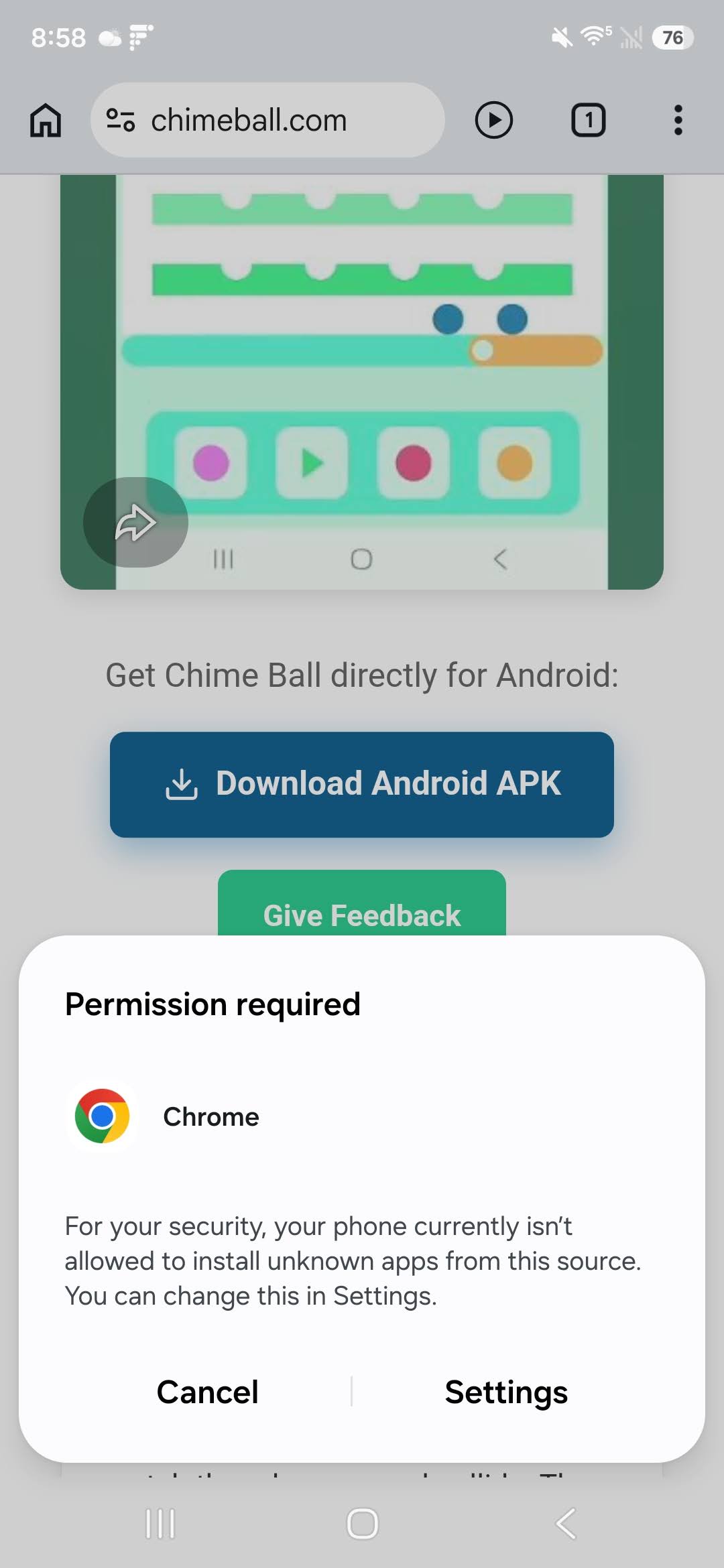
Tap the downloaded file notification or open it from your Downloads. Android Security will block the launch with a prompt: "For your security, your phone is not allowed to install unknown apps from this source."
Confirm Package Installation
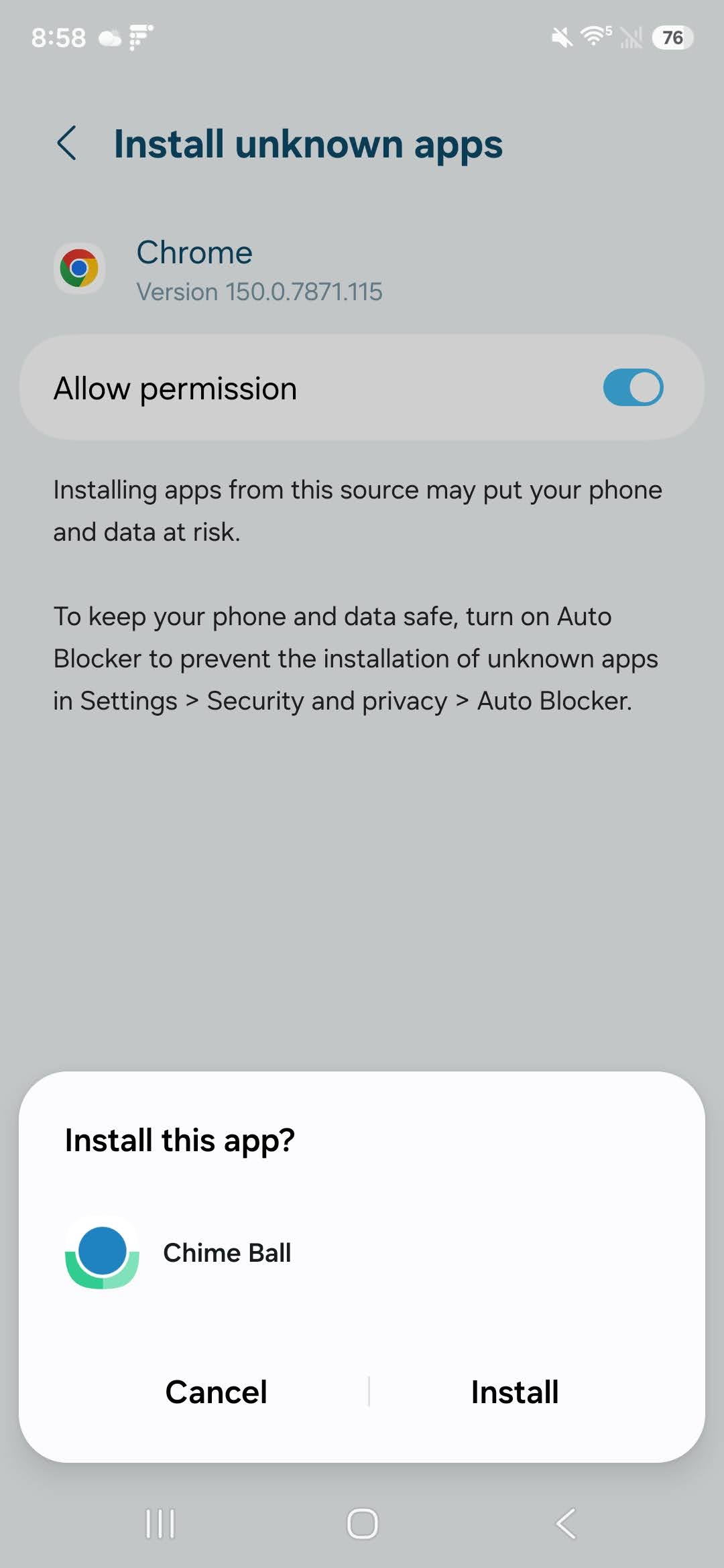
Once permission is granted, Android Package Installer will present the installation screen asking: "Do you want to install this application?"
Play Protect Verification & Launch
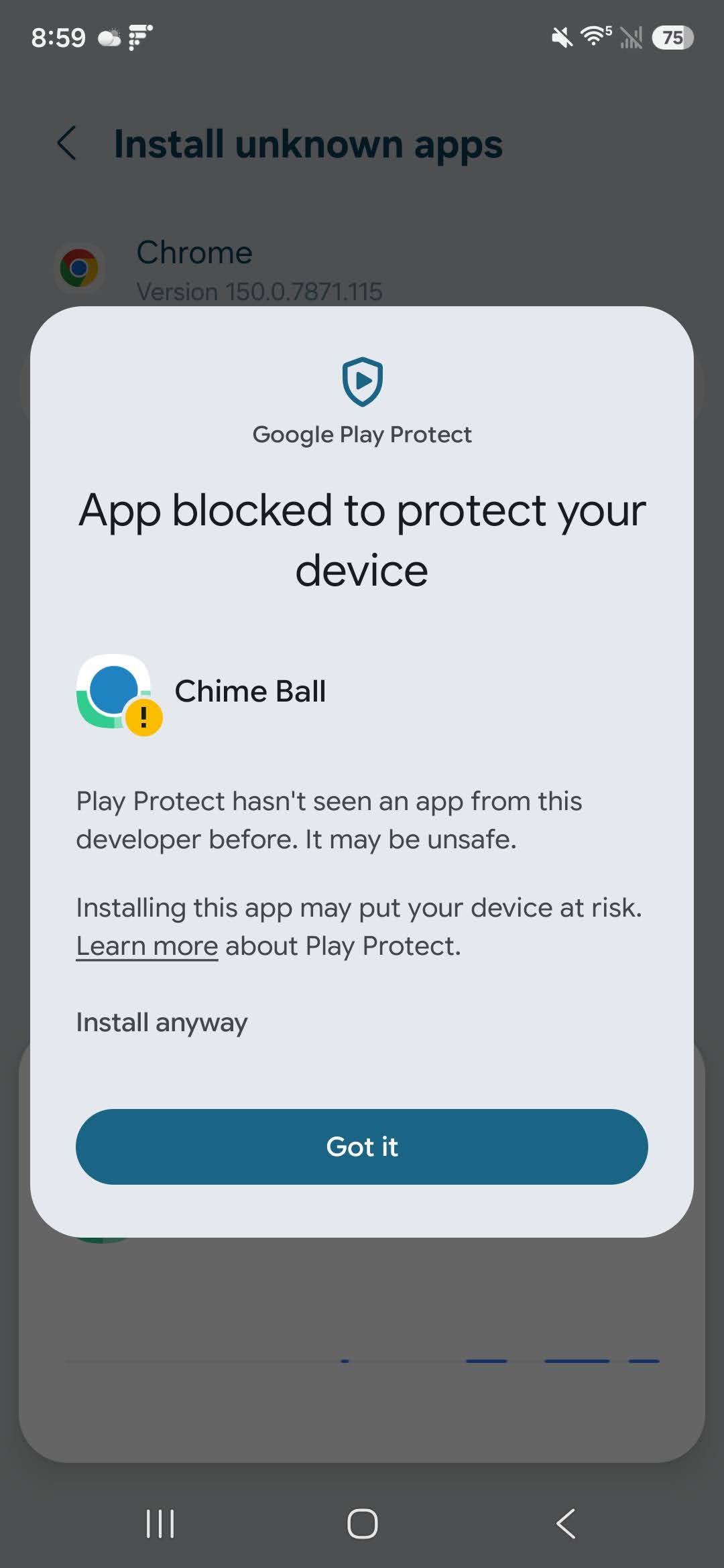
During or immediately after installation, Google Play Protect may inspect the application signature or display an "Unrecognized app" notice for direct sideloads.
Frequently Asked Questions
Why does Android show "File might be harmful"?
Android displays this generic prompt for any executable file downloaded directly through a web browser to prevent accidental downloads. All APK files on bertjerred.com are clean, virus-free, and ad-free.
Are direct APK downloads safe?
Yes. Every APK on this site is built and signed with a unique cryptographic signature. Zero data collection, zero telemetry, and zero third-party ads are embedded in our applications.
How do updates work?
When an update is released, simply download the new APK version from our website and tap install. Package Installer will update the existing app while preserving your local settings and data.
Can I revoke "Install unknown apps" afterwards?
Yes! Once the app is installed, you can return to your device's Settings > Apps > Special app access > Install unknown apps and turn off Chrome's permission at any time.